How Do You Fully Automate Hybris Commerce Installation Using Vagrant?
June 23, 2017

Is your company struggling with Hybris Commerce installations and deployments for your development, testing, and production environments?
This step-by-step tutorial will show you how to automate your Hybris Commerce installations, which will:
In more technical terms, this article will demonstrate how to automate the installation of SAP Hybris 6.3 and its requisite software dependencies for Linux CentOS 7 with a Vagrant Up command. The information learned in this tutorial should provide a useful framework for Hybris installations and deployments.
This tutorial will work on both Windows and Mac machines. There are a few open source software products required to successfully complete this tutorial:
You will also need the binaries for the SAP Hybris Commerce Suite, which is not an open source product. I’m using SAP Hybris Commerce Suite 6.3 for this tutorial. Only SAP Hybris Commerce customers and certified SAP Hybris partners have access to the SAP Hybris Software, https://wiki.hybris.com/display/downloads/Archived+6.3.0+Release
Once you have installed these software products on your machine, you are ready to fully automate your SAP Hybris deployment.
Open the command prompt. In my case, I’m using Git Bash.
1. Clone or download the HybrisArchitect.com Install-Hybris-With-Vagrant Github repository. Perform the following at the command prompt:
2. A new directory called Install-Hybris-With-Vagrant is created.
3. Change into the Install-Hybris-With-Vagrant directory by using the following change directory command at the command prompt:
cd
4. Perform the following list directory command at the command prompt:
ls
5. You should see the following files:

6. Copy the hybris-commerce-suite-6.3.0.1.zip file, Hybris Commerce Suite, into this directory.
7. Now it’s time to install Hybris. Perform the following command at the command prompt:
vagrant up
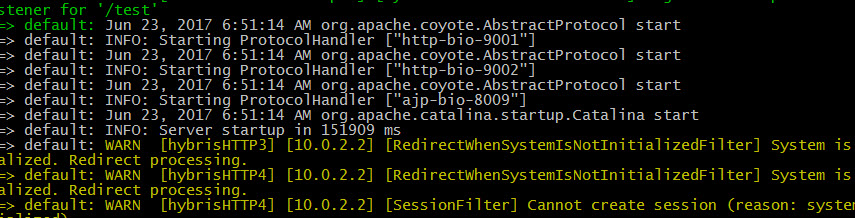
8. 15-20 minutes later, you should see the following in your command prompt screen:
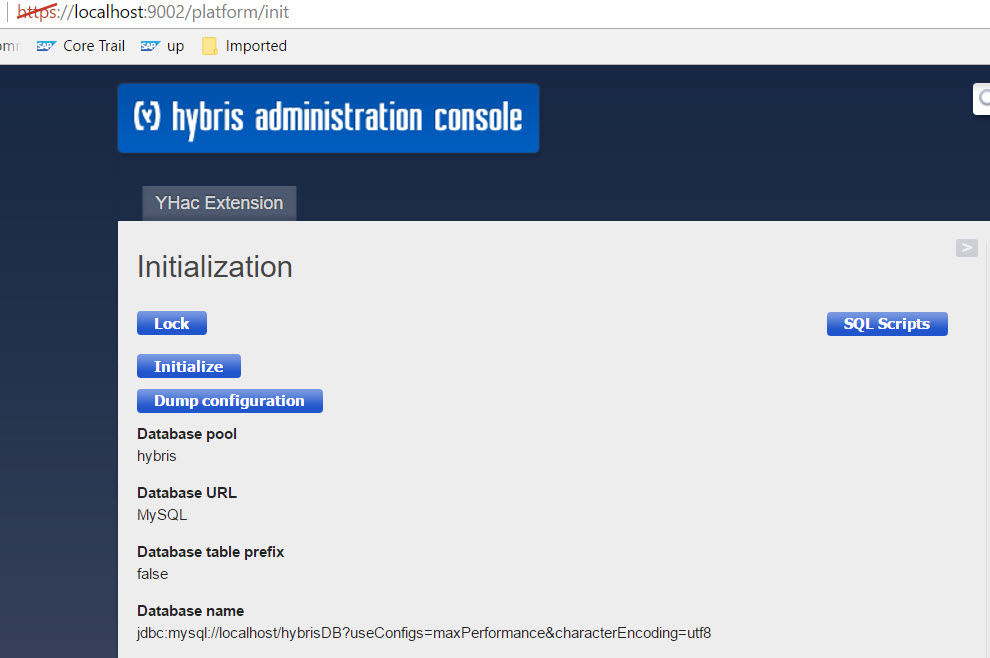
9. Go to your Web browser and type: https://localhost:9002/platform
You should now see the HAC Initialization screen. Hybris has been successfully installed!
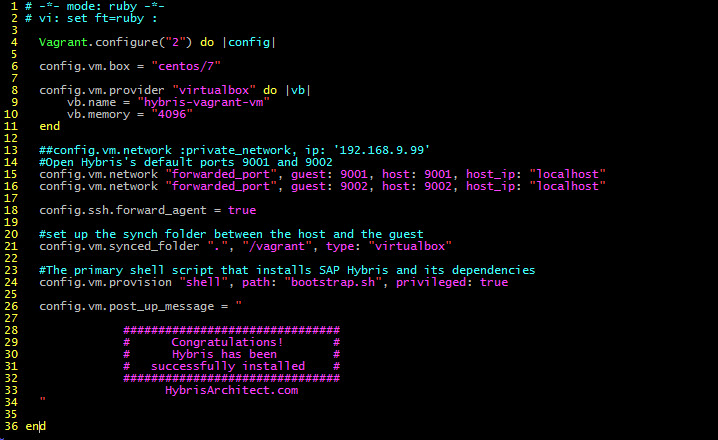
In the next section, I will review the files that fully automated the Hybris installation, starting with the Vagrantfile.
Now let’s review the second file, bootstrap.sh.
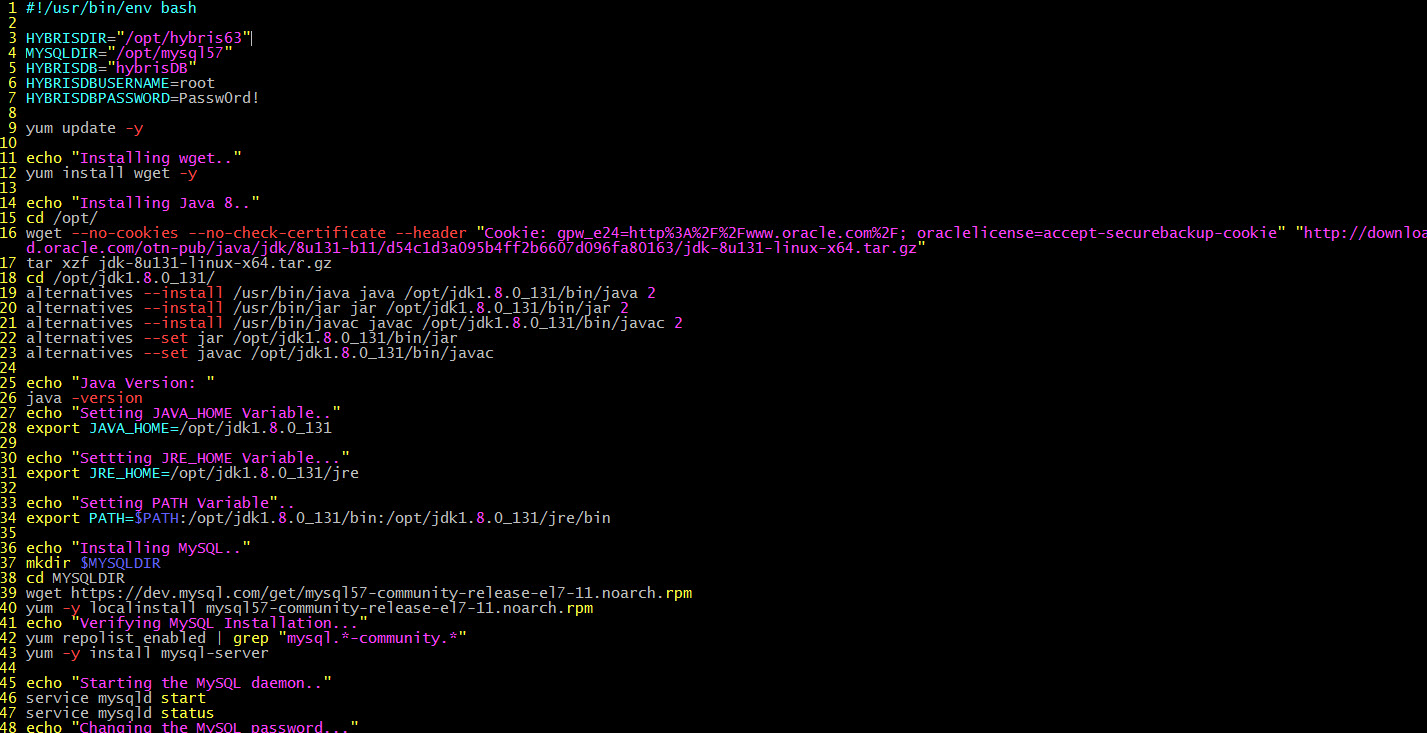
The Bootrap.sh file is a shell script that installs the Hybris software dependencies such as Java and MySQL. In more detail, the bootstrap.sh file will install Java 1.8, which is recommended for Hybris 6.3 The bootstrap.sh file will also configure the MySQL credentials and create a database called hybrisDB.
Let’s review the bootstrap.sh file.
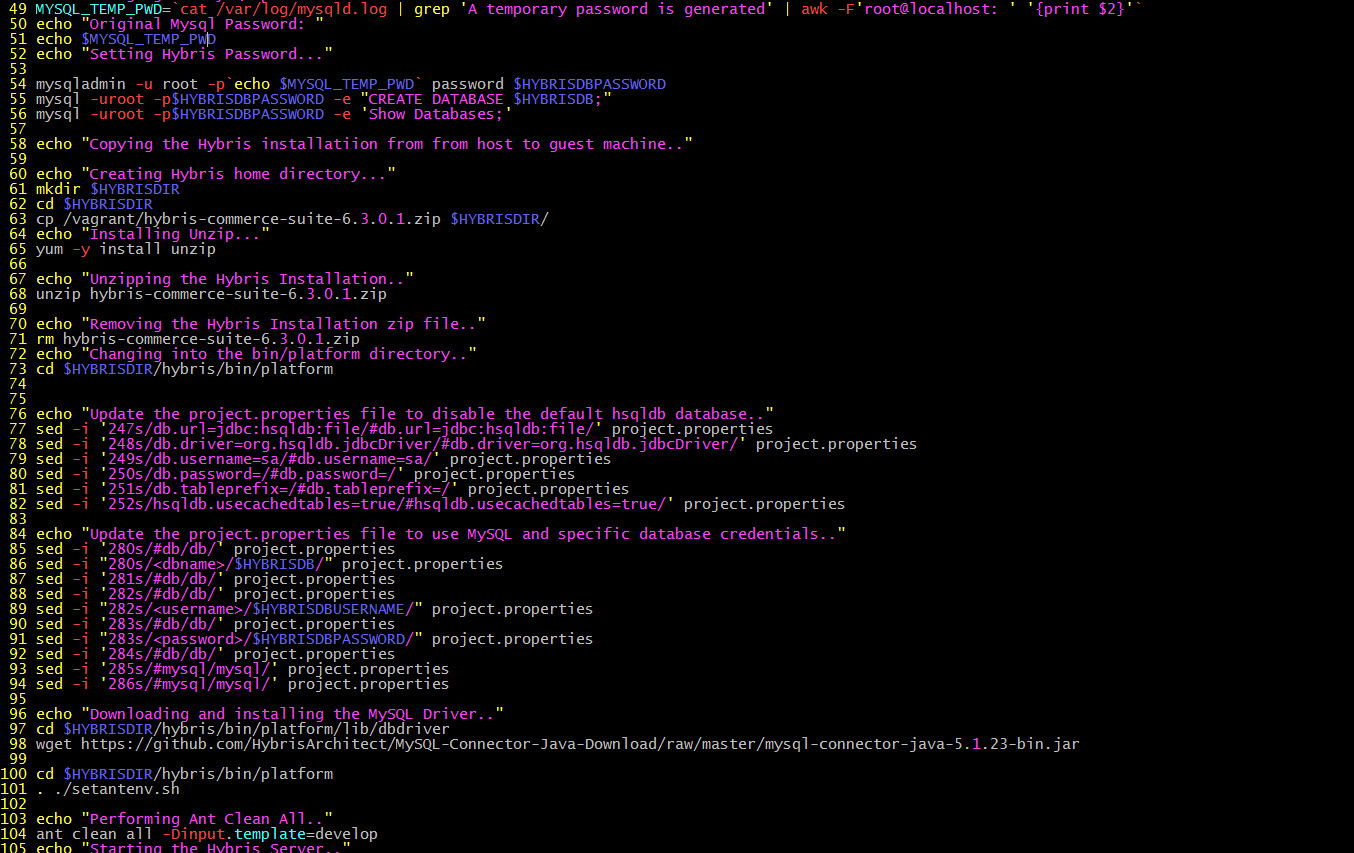
There’s a lot of information covered in the article. Please clone the Github repo discussed in the article, and spend time familiarizing yourself with the Vagrantfile and bootstrap.sh files. Once you understand the details of these files, you will be well on your way to fully automating your own Hybris deployments. Good luck!

Marc is the Founder of HybrisArchitect.com.
He enjoys helping others learn more about SAP Commerce Cloud (Hybris). Marc is a SAP Commerce Certified Professional and has held the role of SAP Commerce Cloud Architect at Deloitte, PwC, Brillio (a Bain Company), and Nasty Gal. Marc holds an M.S. Software Engineering from Carnegie Mellon University and a B.S. in Accountancy from California State University, Fresno. He can be reached at: mraygoza@localhost