Build a Native Mobile Category Page with SAP AppGyver Tutorial (Part 1 of 3)
July 11, 2022

We will build a native mobile e-commerce category page using SAP AppGyver over a three-part tutorial.
In this first part of the tutorial, we will implement the required metadata and main page canvas.
In the second part, we will configure the category page to mock JSON data stored on Mockachino. One thing to note, the category page’s data is an abbreviated JSON dataset from a live SAP Commerce Cloud site.
In the third part, we will configure the JSON data to the AppGyver’s Image list item repeatable component. The app truly comes to life to display a great looking category page.
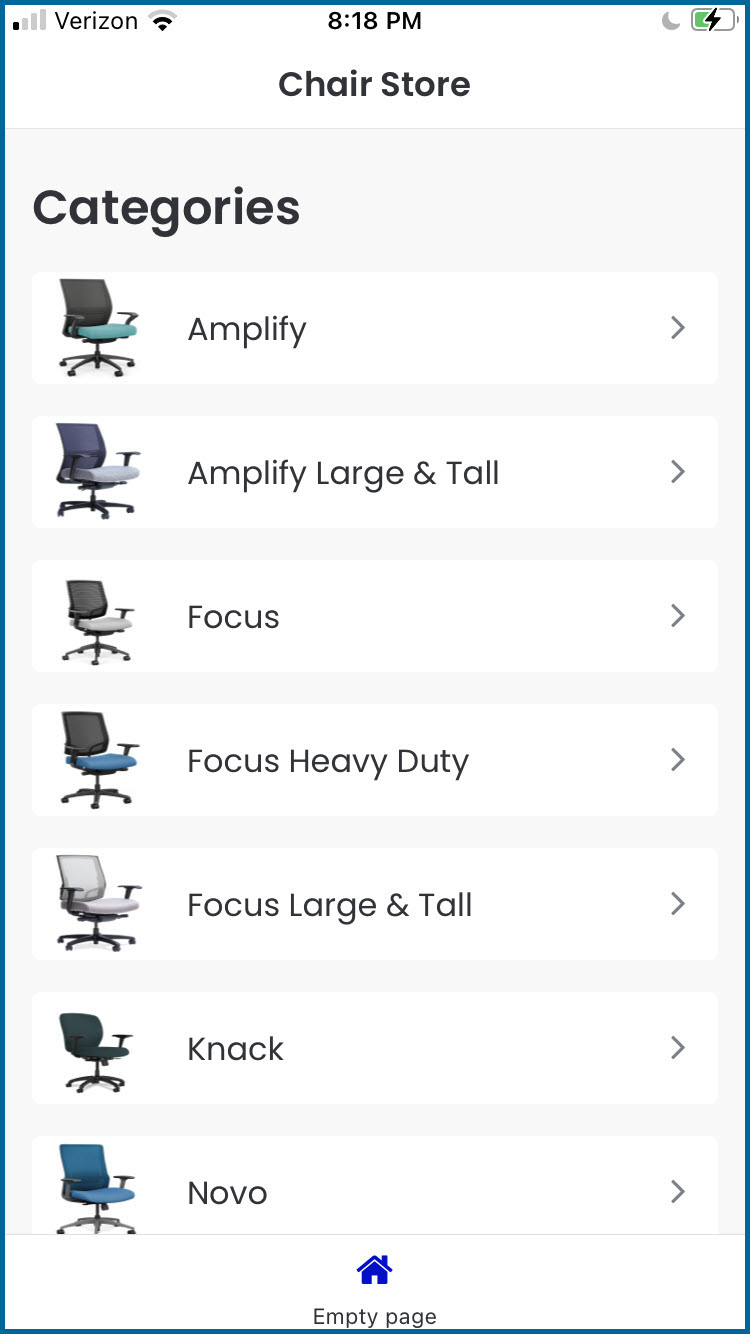
After we complete the third and final part of this tutorial, the category page will look like the following on an iPhone. You should be able to build this category page in 30 minutes or less!
Let’s Get Started on Part 1 of 3 of the Tutorial
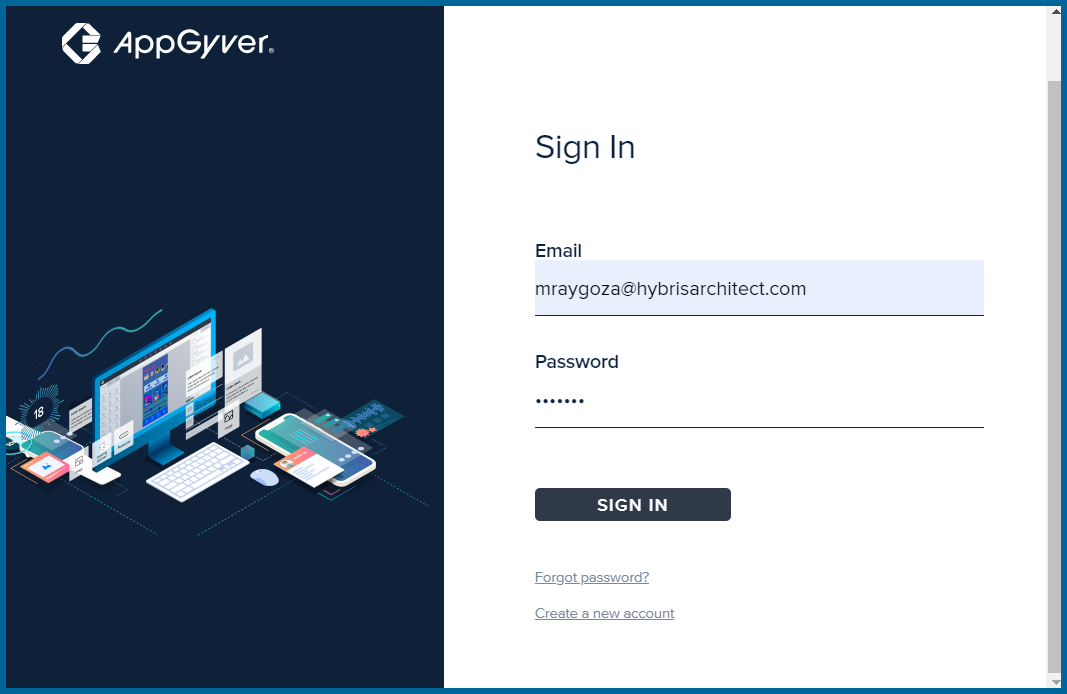
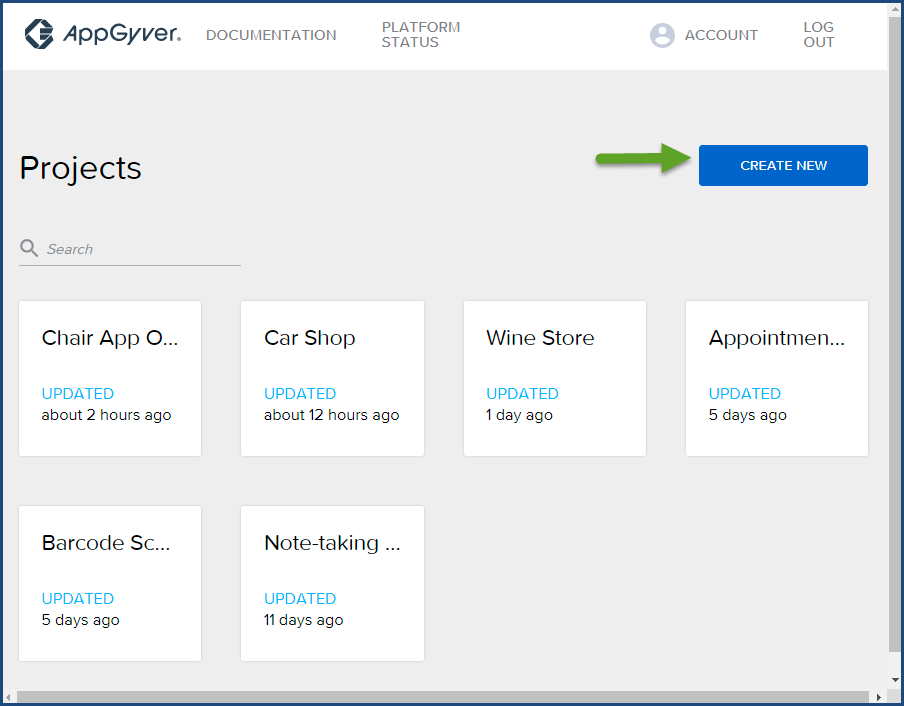
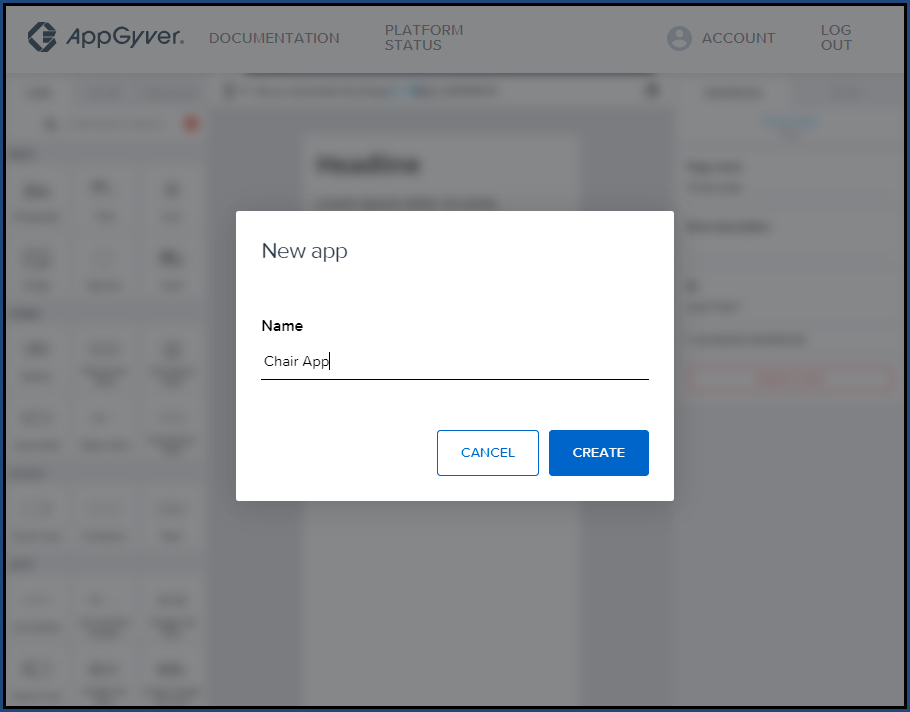
 Page name field. Change the Page name field to Chair Store and click
  Save.
Save.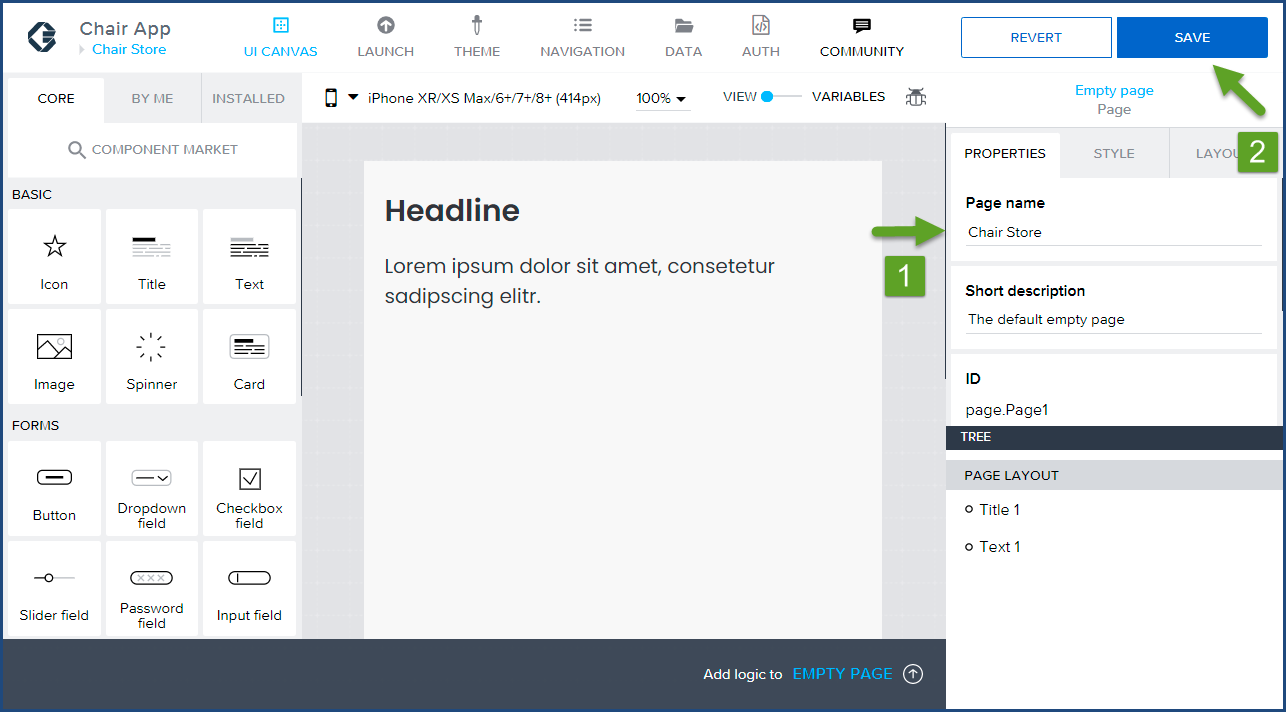 Headline in the main viewer. Then under the Properties tab in the Content section find Headline again.
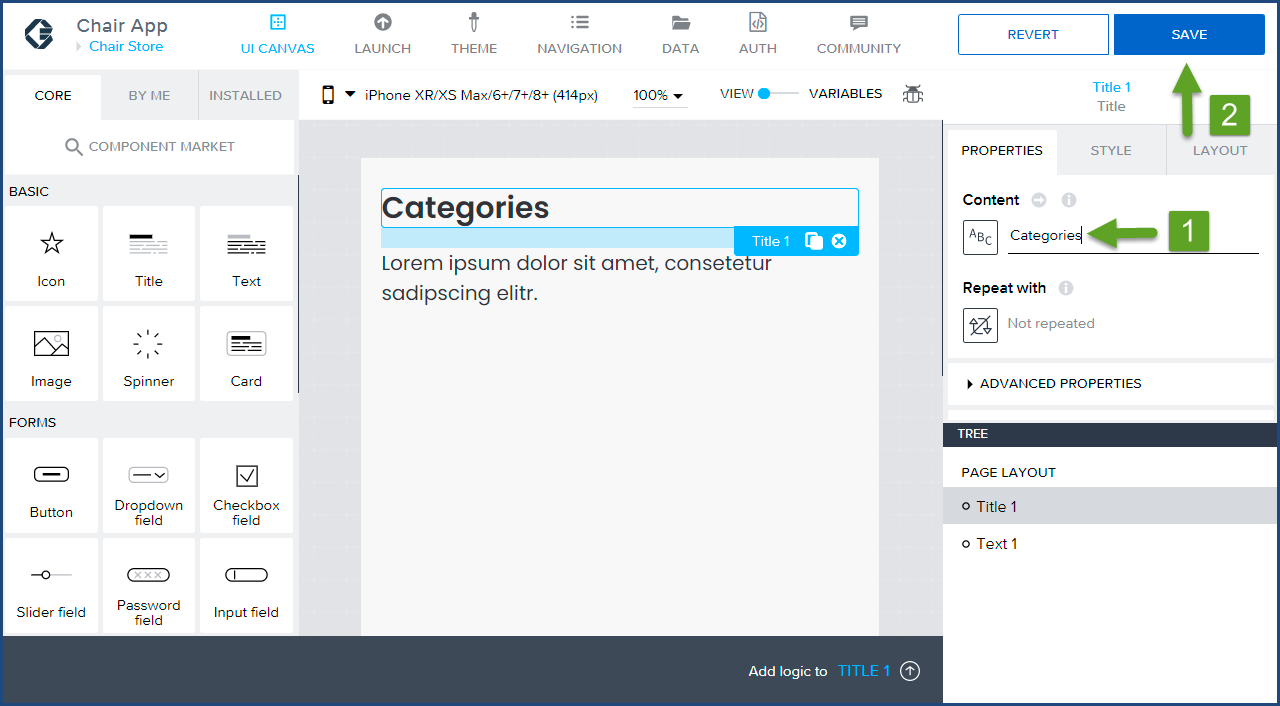
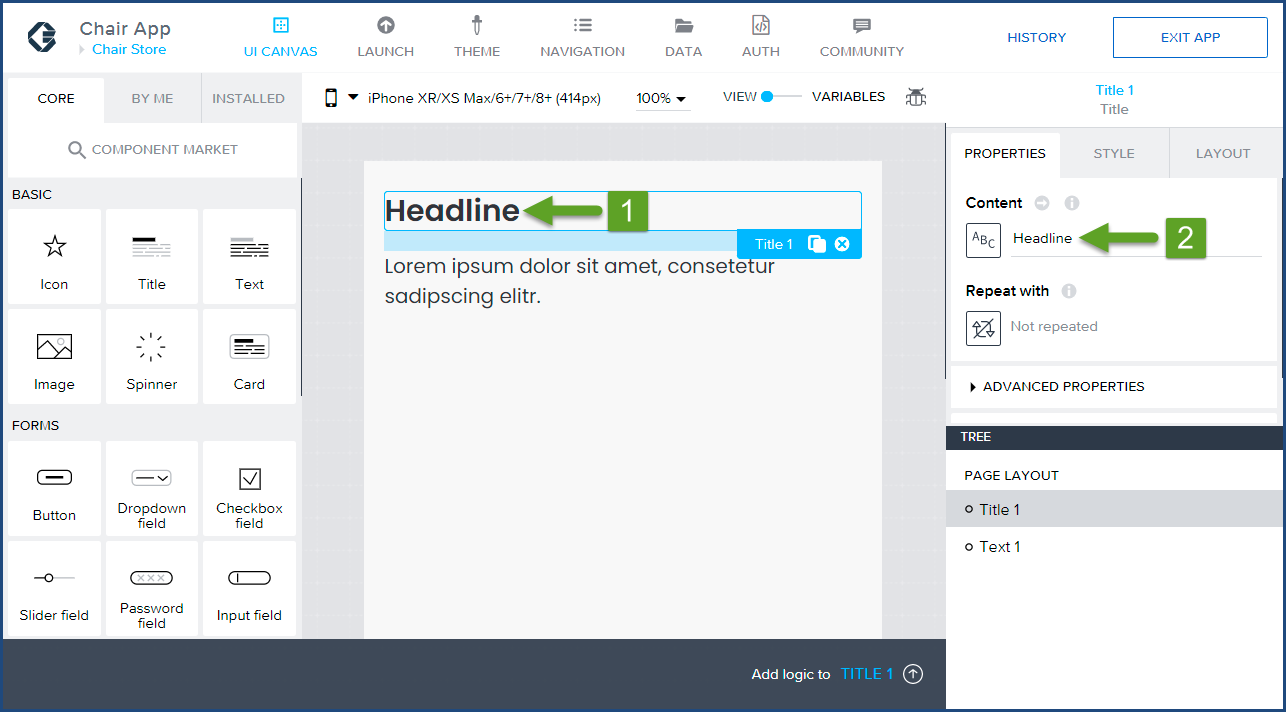 Categories and click Save. It’s good practice to Save your project work often in AppGyver.
 Lorem ipsum dolor sit amet, consetetur sadipscing elitr. text by clicking on the text in the main viewer and clicking on the remove button (circle button with an x).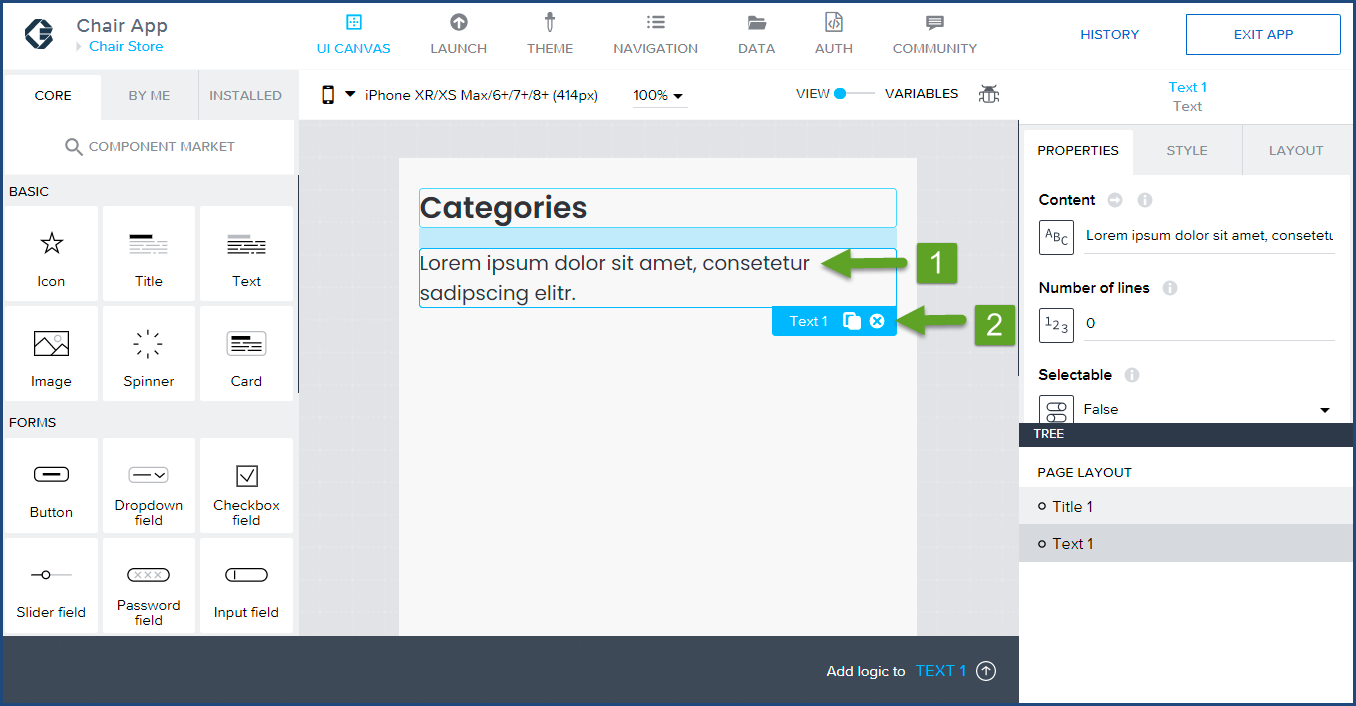
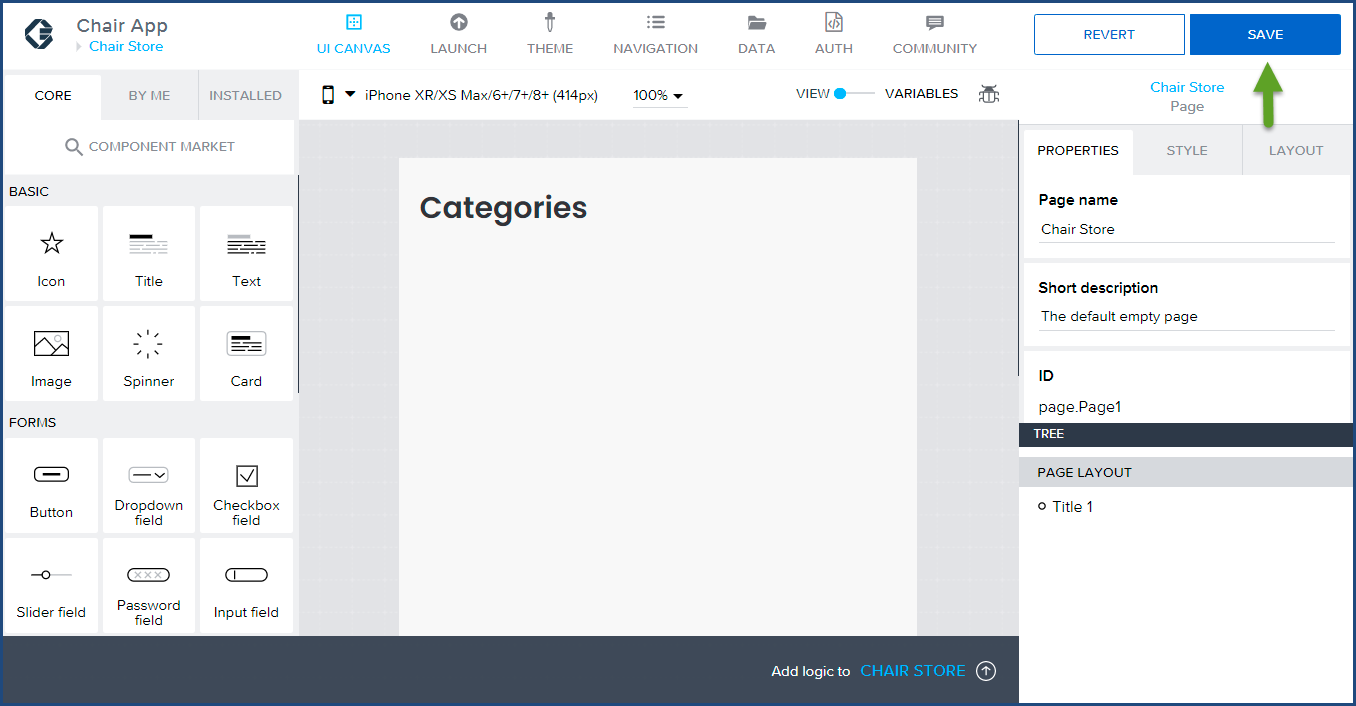 Congratulations, we completed the required metadata and main page canvas modifications for this tutorial. In the second part of the tutorial, we will configure the JSON Data to the Categories page.
Click here to start the second installment of Build a Native Mobile Category Page with SAP AppGyver.
If you have any questions, please email us at info@localhost.

Marc is the Founder of HybrisArchitect.com.
He enjoys helping others learn more about SAP Commerce Cloud (Hybris). Marc is a SAP Commerce Certified Professional and has held the role of SAP Commerce Cloud Architect at Deloitte, PwC, Brillio (a Bain Company), and Nasty Gal. Marc holds an M.S. Software Engineering from Carnegie Mellon University and a B.S. in Accountancy from California State University, Fresno. He can be reached at: mraygoza@localhost