Build a Native Mobile Category Page with SAP AppGyver Tutorial (Part 2 of 3)
July 18, 2022

In the first part of the Build a Native Mobile Category Page tutorial, we implemented the metadata and main canvas required for the category page. If you missed the first part of the tutorial, click here to read the first installment of Build a Native Mobile Category Page with SAP AppGyver.
In this second part of the tutorial, we will configure the mock categories JSON data stored on Mockachino to our application, which will be configured to our category page. One thing to note, the mock JSON data is an abbreviated dataset from a live SAP Commerce Cloud site.
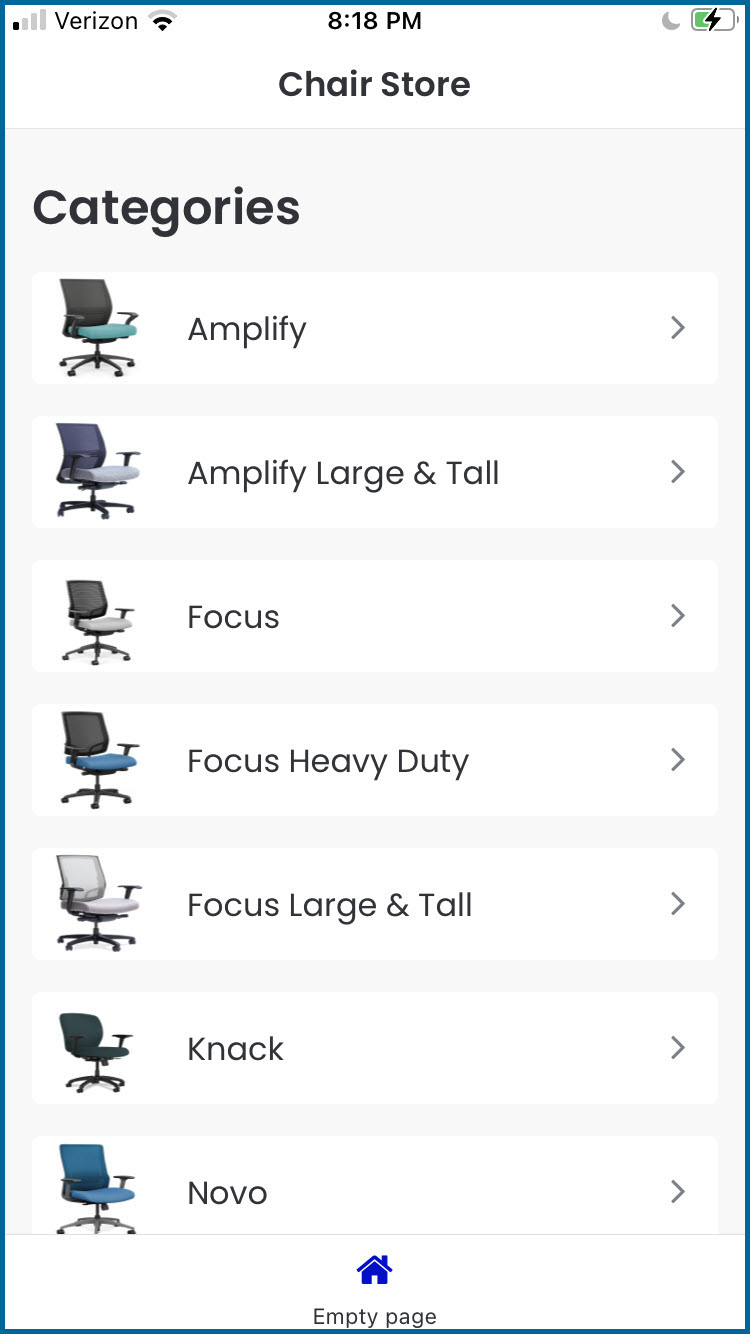
As reminder, the category page will look like the following on an iPhone.
Let’s Get Started on Part 2 of 3 of the Tutorial
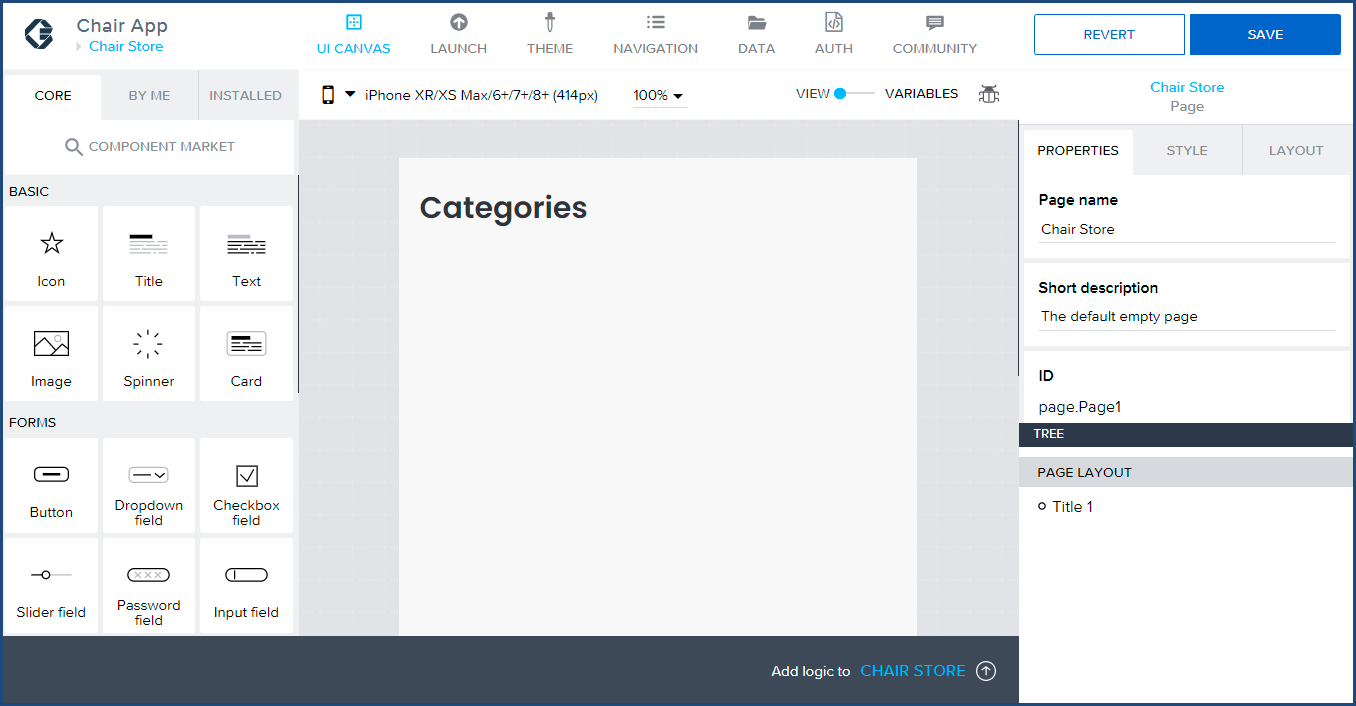
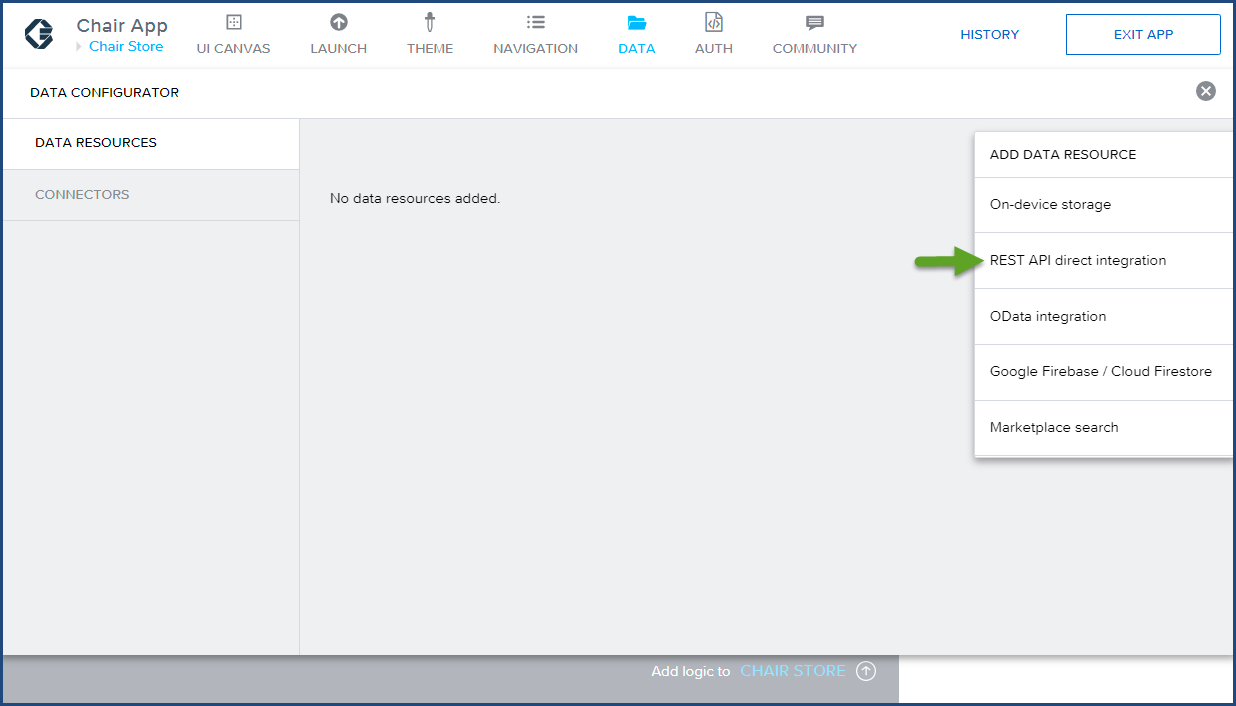
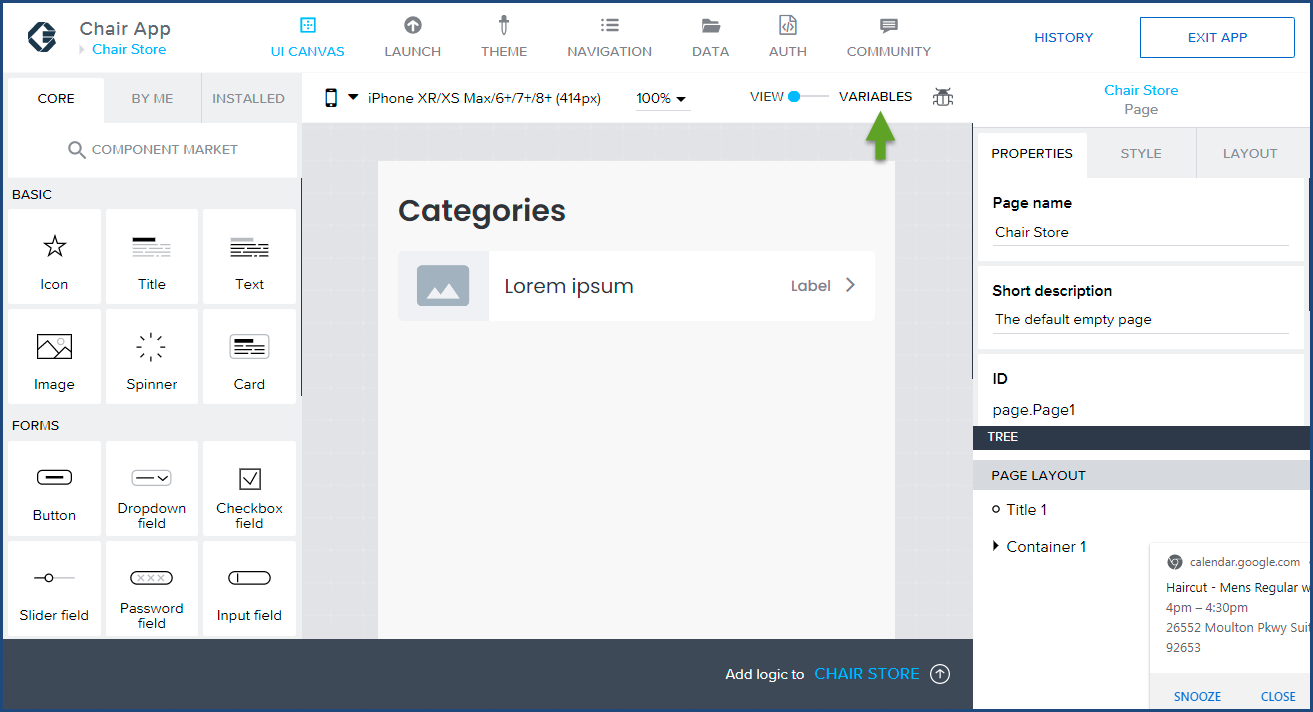
You should still be logged into the Chair App from Part 1 of this tutorial, and your screen should look like the following:
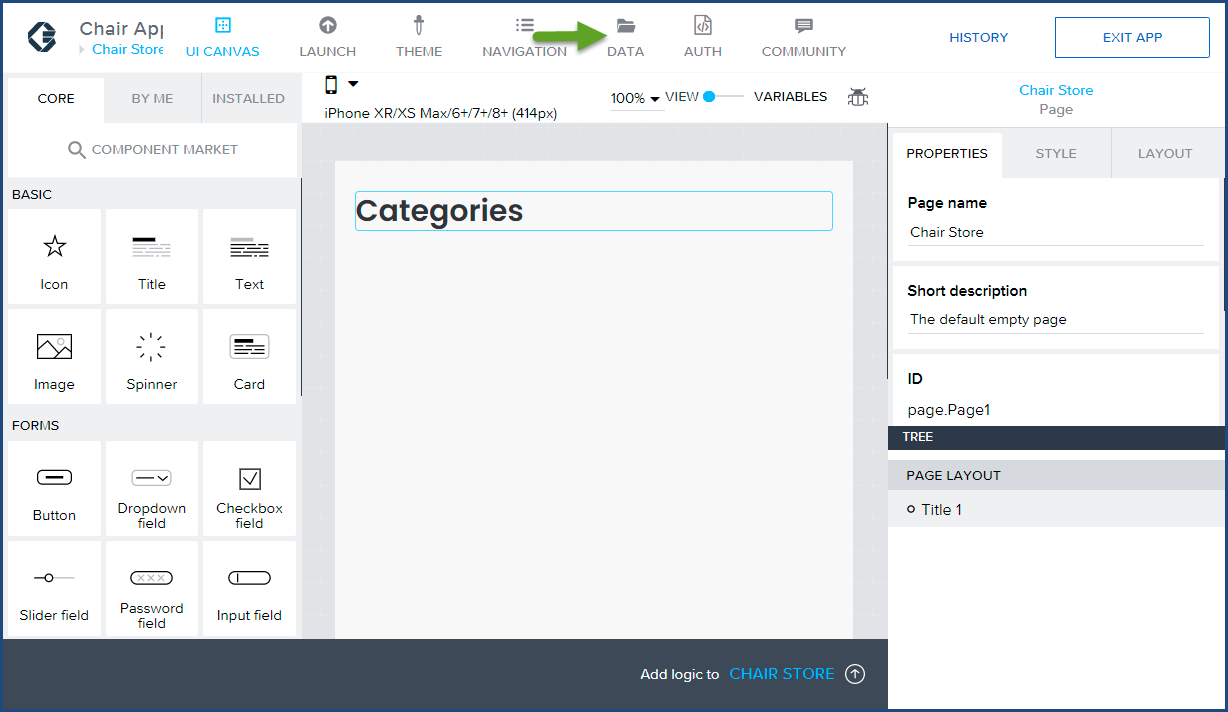
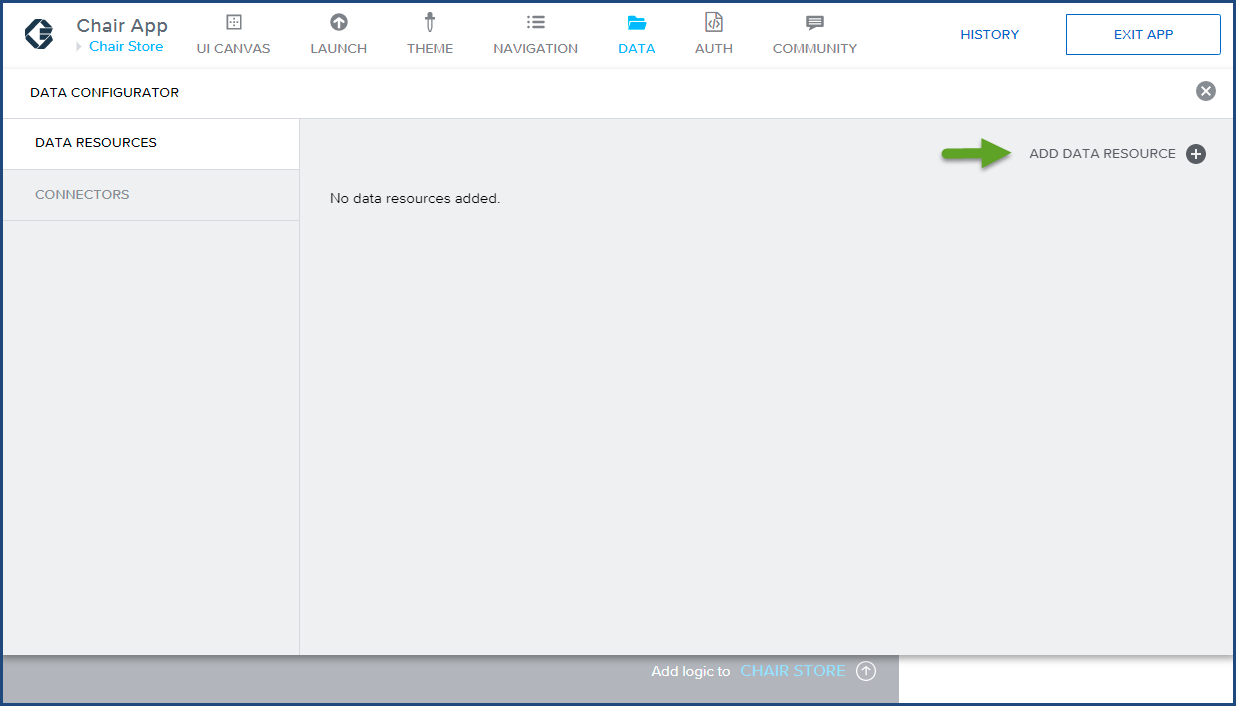
 Enter categoriesData in the Resource ID field.
 Enter Categories JSON DATA for the Category Page for the Short description field.
 Enter https://www.mockachino.com/2fc4cfce-8c5a-4c for the Resource URL. This Mockachino end point contains the categories JSON data from a live SAP Commerce Could site, but modified for the sake of this tutorial.
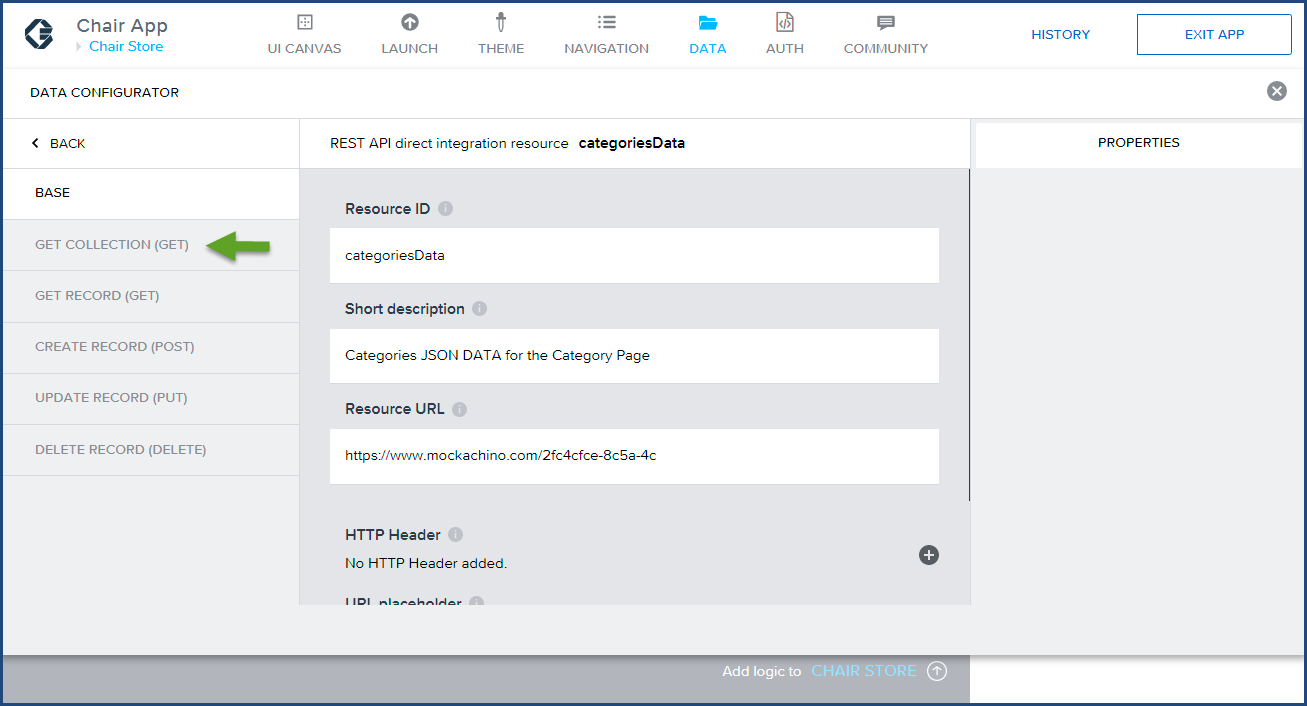
 Click Save.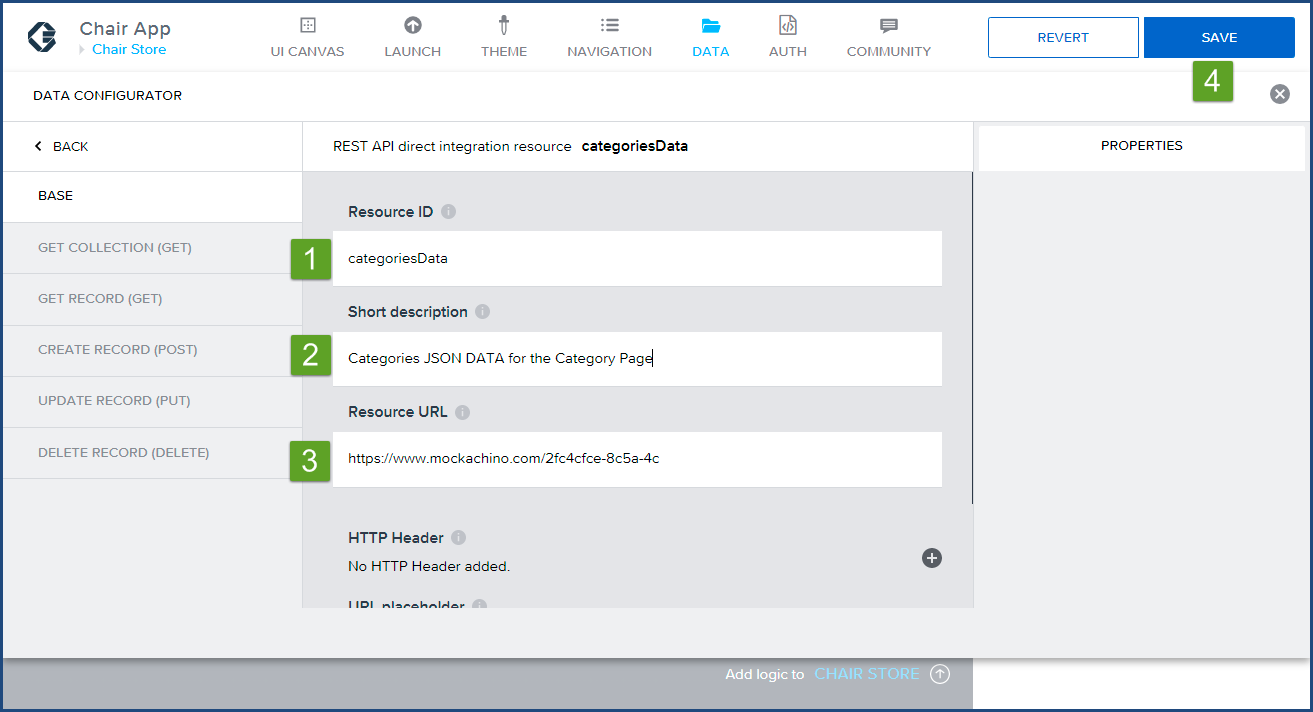
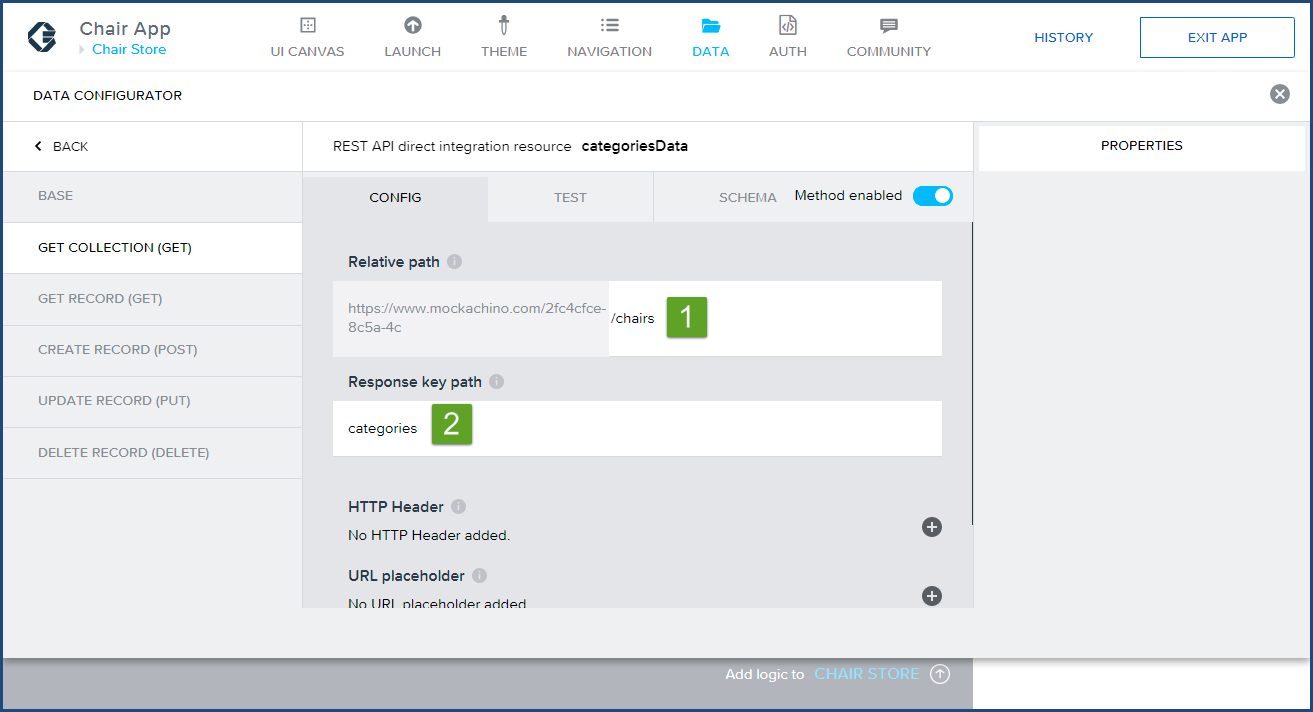
 Enter the /chairs in the Relative path field. The leading front slash is required before the word chairs. Enter categories into the Response key path since the data is stored in an array labeled categories within our JSON data.
 Click on RUN TEST. Confirm the JSON dataset appears in the Test API call response text area and Status:OK is returned.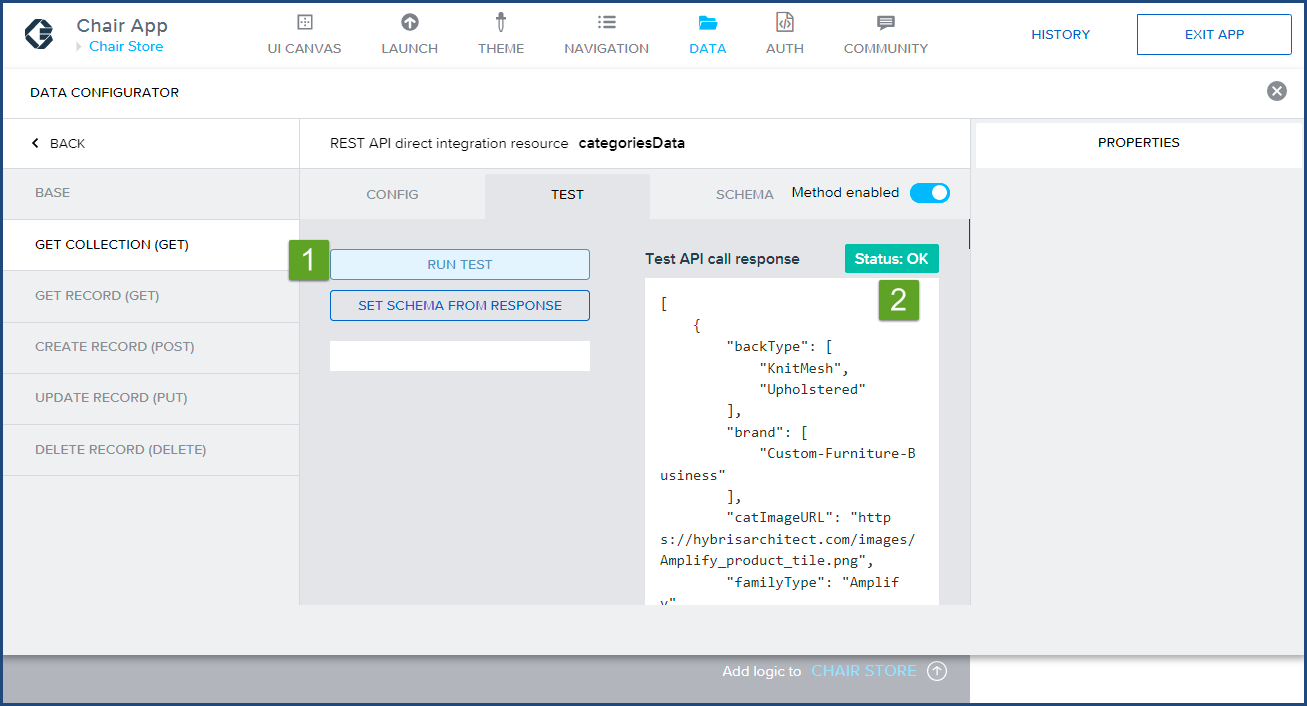
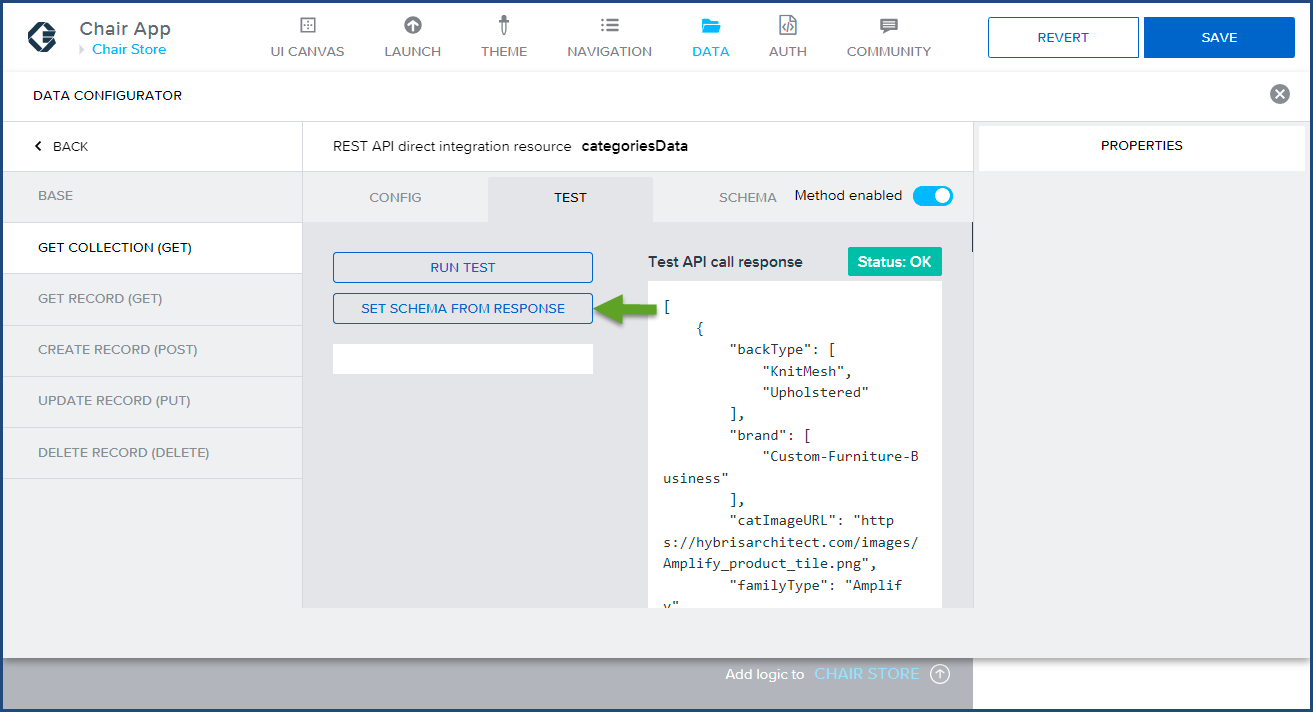
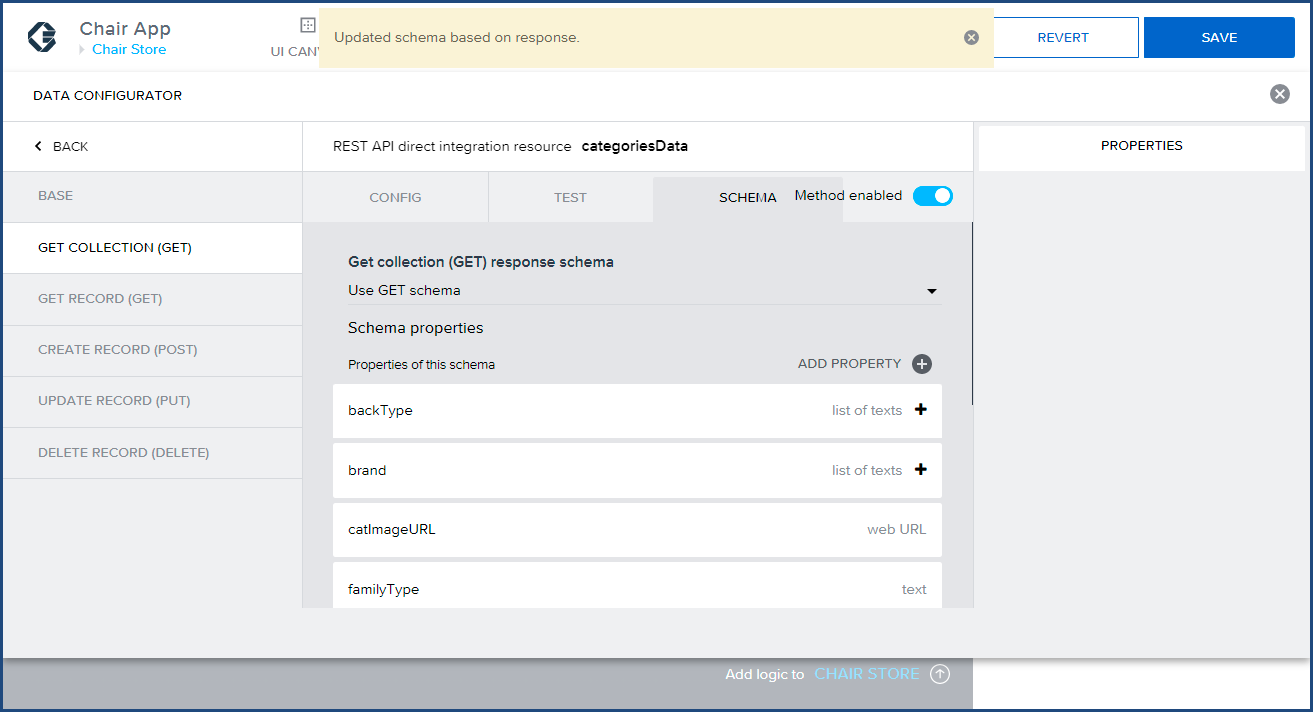
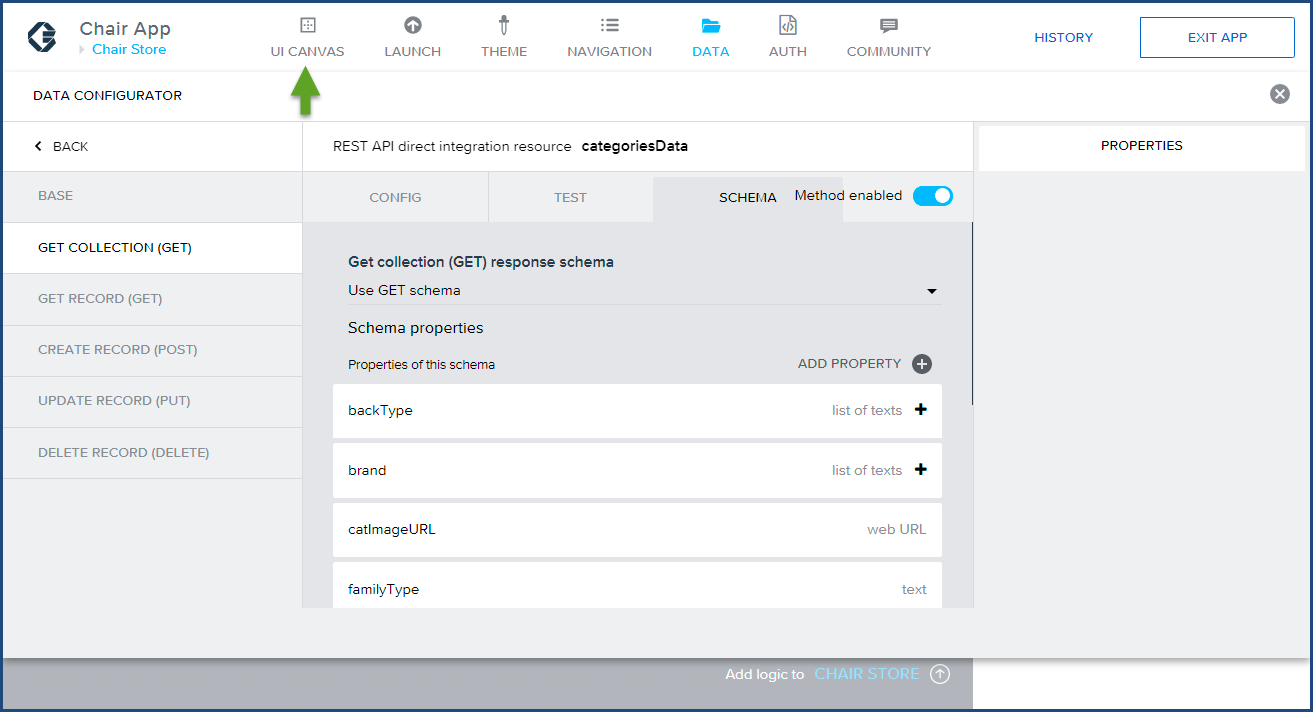
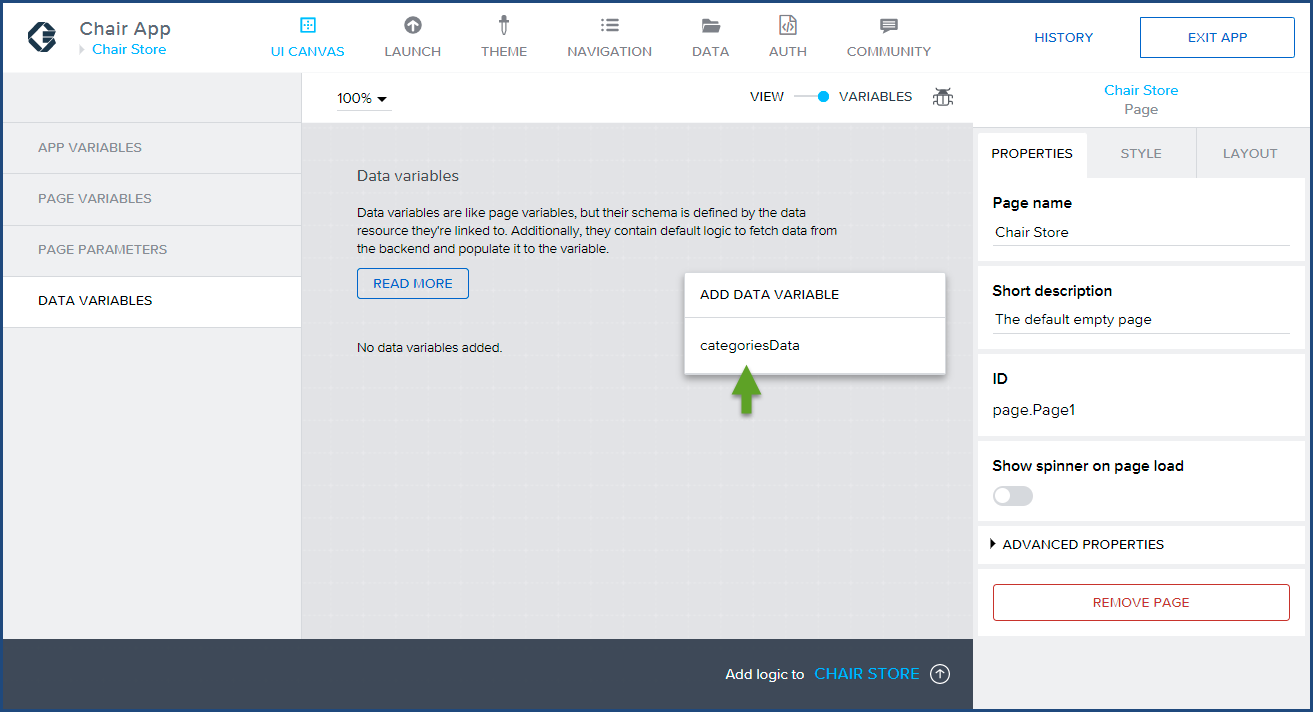
 DATA VARIABLES menu item then the ADD DATA VARIABLE link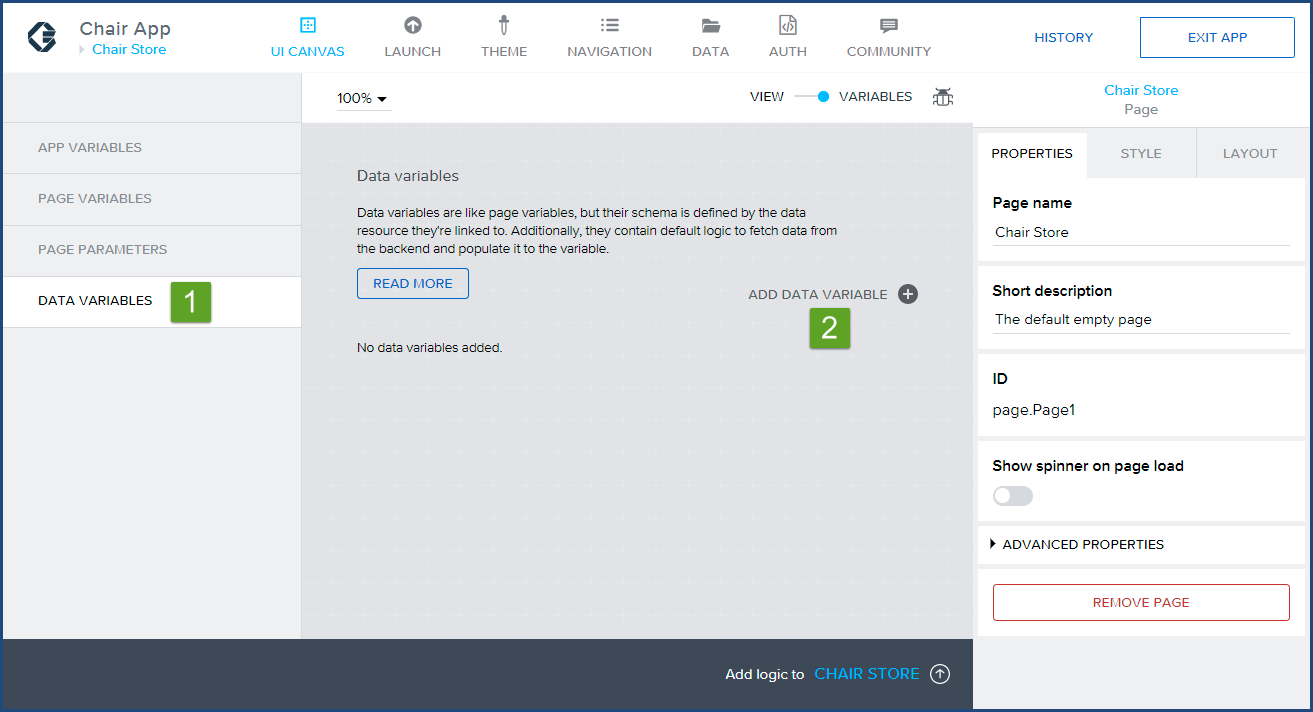
 categoriesDV to indicate this variable name a is data variable. Click Save.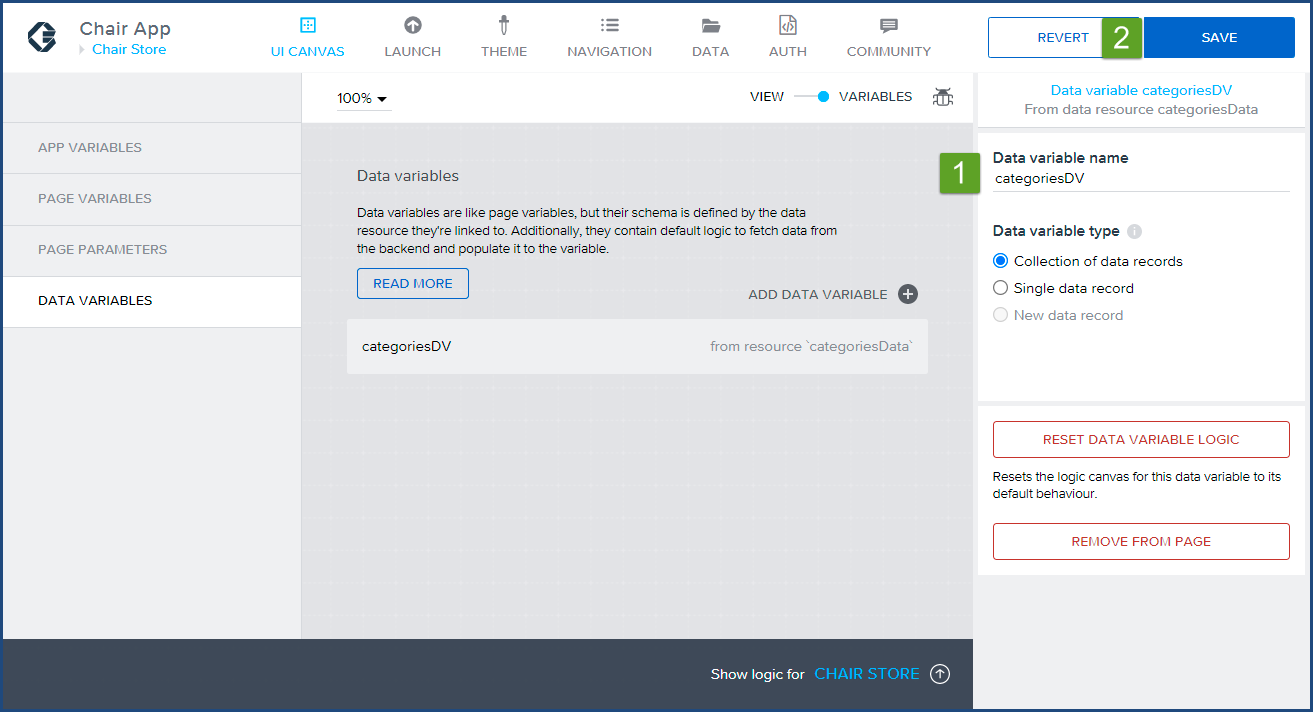
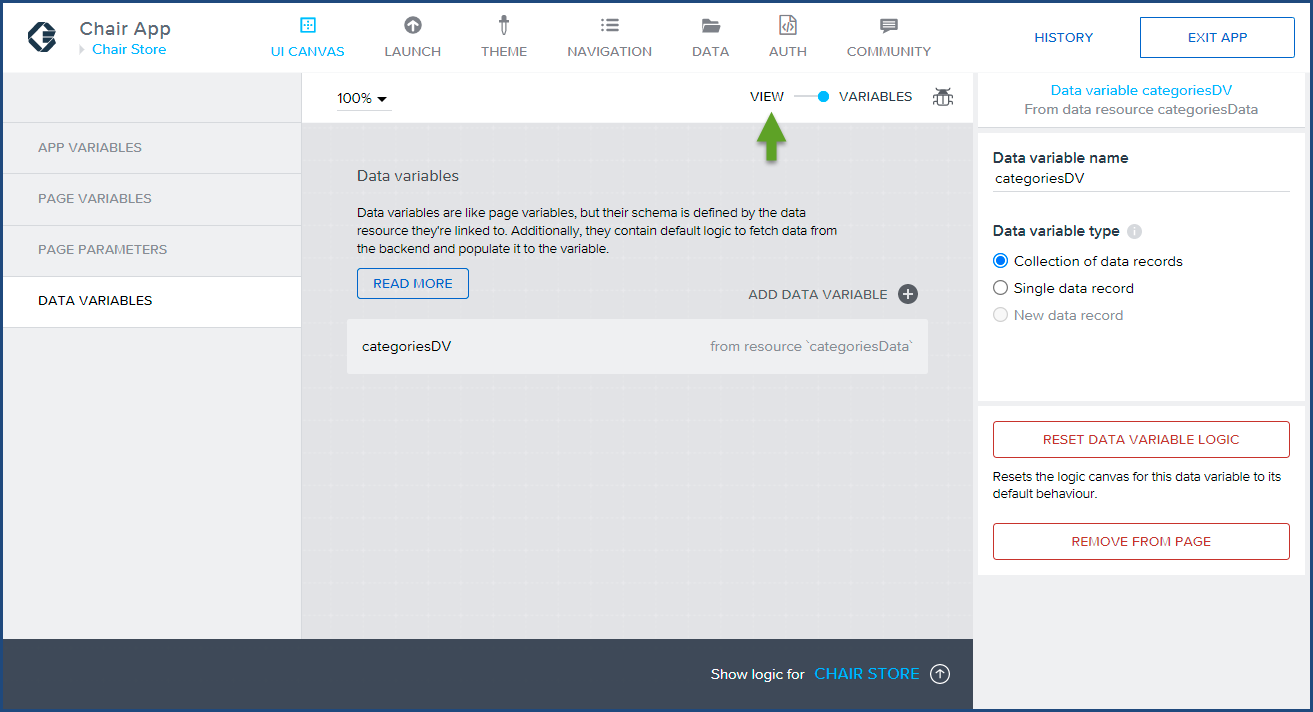
Congratulations, you have completed part two of the three part tutorial. In this section of the tutorial, you have successfully configured a categories mock JSON API dataset with an AppGyver application, and created a data variable that will be bound to the category page in the next and final part of this tutorial.
Click here to start the third installment of Build a Native Mobile Category Page with SAP AppGyver.
If you have any questions, please email us at info@localhost.

Marc is the Founder of HybrisArchitect.com.
He enjoys helping others learn more about SAP Commerce Cloud (Hybris). Marc is a SAP Commerce Certified Professional and has held the role of SAP Commerce Cloud Architect at Deloitte, PwC, Brillio (a Bain Company), and Nasty Gal. Marc holds an M.S. Software Engineering from Carnegie Mellon University and a B.S. in Accountancy from California State University, Fresno. He can be reached at: mraygoza@localhost